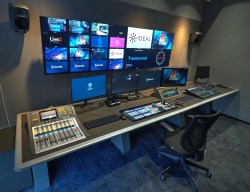
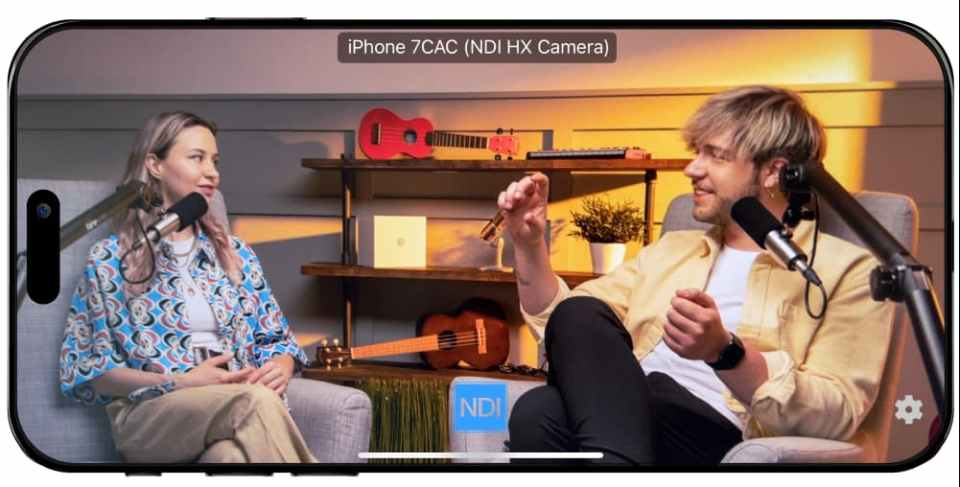
Our plug-and-play, interoperable IP connectivity technology transforms any standard network into a high-effiency video worflow with less cables and hardware than ever before.
Discover why the world of live video is adopting NDI.
Bandwidth Options
High Bandwidth streams consume up to 150 Mbps, while HX3 scales down to 50 Mbps for 1080p60, letting you pack dozens of channels onto a single Gigabit backbone.
Low Latency
Experience sub-frame glass-to-glass latency with the SpeedHQ codec, ensuring synced switching, PTZ control, and confidence monitoring.
Multi-resolution
From SD up to 4K60, NDI auto-scales across frame rates and resolutions, so every install, big or small, delivers flawless video.
Codec Powerhouse
Choose from visually lossless YUV 4:2:2 in High Bandwidth format to hardware-friendly H.265 in HX3, striking your ideal balance of CPU load, network use, and image fidelity.
Embedded Streams
Carry alpha channels, tally, PTZ commands, and custom XML metadata in-stream, so graphics overlays, camera controls, and sync data travel seamlessly with video.
LAN, Wi-Fi, Cloud
Works over Wi-Fi networks, wired networks, and across WAN or the Internet via NDI Bridge, and in the Cloud.
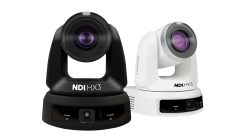
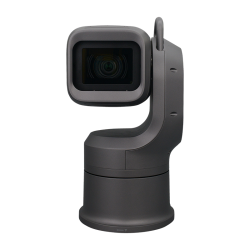
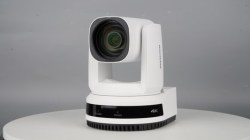
VC-TR61N is a feature-rich, twin-lens UltraHD PTZ camera. Equipped with dual 4K sensors and a 30x zoom lens, the VC-TR61N can automatically track individuals at distances of up to 18 meters, making it ideal for larger venues and production environments. Supporting NDI HX3, RTSP, and SRT streaming protocols, the VC-TR61N delivers independent IP outputs from its dual cameras, as well as a Picture-in-Picture (PIP) feed via HDMI and USB ports.
Learn more
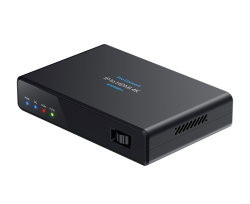
Magewell Pro Convert IP to HDMI 4K
Pro Convert IP to HDMI 4K is a standalone decoder that converts one 4Kp60 or up to four HD IP streams into a single 4Kp60 HDMI output, with support for HDR PQ/HLG. Users can perform advanced configuration and monitor device status via an intuitive Web GUI as well as keyboard/mouse and onboard controls. Like other models in the Magewell IP Decoder Family, the Web GUI provides output preview in single/multiple layouts, either in real-time stream or MJPEG thumbnails, with optional OSD and virtual PTZ controller overlay. Compatible with popular video formats and streaming protocols including NDI High Bandwidth, NDI HX, NDI HX2, NDI HX3, it seamlessly bridges baseband equipment and IP-based media networks for easy integration of 4K streams into existing production or distribution workflows.
Learn more
Bolin EXU420N
The EXU-420N features a Bolin 4K60 image module and a 1/2.8” Sony image sensor which produces crisp, clean UHD images with a 20X zoom range. It has Super WDR, Color Matrix, and Gamma Level adjustments. The EX-420N has multiple simultaneous outputs, including NDI High Bandwidth (NDI 6-ready), NDI HX3, 12G-SDI, HDMI 2.0, and IP Streams. The EXU-420N supports the FreeD protocol and professional, balanced audio.
Learn more
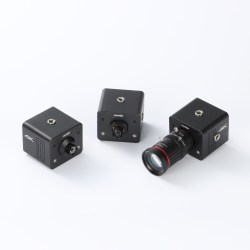
ZowieTek ZowieCam
ZowieCam is the world’s smallest NDI POV camera, designed to deliver exceptional performance in a compact form. It offers simultaneous 4K HDMI, 3G-SDI, and NDI|HX3 outputs, allowing for versatile integration. The camera features an interchangeable lens, compatible with CS, C, or M12 mounts, providing flexibility for different production needs. Besides the AF model includes autofocus for seamless image clarity. ZowieCam also supports both PoE and Type-C power options for easy deployment.
Designed for easy control and setup, ZowieCam can be fully managed through the exclusive ZowieUI, accessible via PC, smartphone, tablet. This intuitive interface allows you to configure a range of settings, including focus, white balance, auto exposure, color temperature, bitrate, audio, tally, and even the WYSIWYG OSD display. Additionally, the camera is equipped with a tally light for clear indication during live events, making it an ideal choice for professionals who demand reliable and high-quality video performance in any setting.
*Certified up to 1080p60
Learn more
Vizrt Connect Solo 3G-SDI
Viz Connect Solo video converters are the fastest, easiest, and best way to video over IP. Ultra-portable enclosures with resolutions up to UHD 60p, the groundbreaking benefits of NDI®, and a host of tools and capabilities makes Viz Connect Solo video converters the right choice for the full spectrum of video production needs.
Learn more
Kaltura
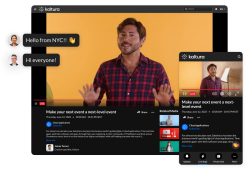
Kaltura’s got you covered with a broad set of video solutions that are flexible, adaptable, and scalable to any audience and purpose. Plus, no matter what kind of experience your audience engages with, all your first-party data is captured and generated in one place.
Enterprise-grade peace of mind It’s smooth sailing ahead, thanks to Kaltura’s secure and compliant infrastructure that offers the highest streaming quality to unlimited audiences worldwide, and features inclusive design for any accessibility and localization needs.
So many ways to stay engaged A truckload of tools purposely built to drive the deepest and most data-rich engagement – like polls, leaderboards, notifications, interactive chat, quizzes, emojis, crowd reactions, badges & certifications, announcements & calls-to-action, and more!
RC841S UHD Video PTZ Camera has Sony’s 1/2.5” inch CMOS sensor with 4K quality at an impressive 60 fps. This broadcasting-level video camera supports NDI|HX2 (optional)to manage very low latency. 12X optical zoom and AI humanoid Tracking modes to keep the object always still in clear focus. Built with rich and complete interfaces, You can output to HDMI (UHD) or 3G-SDI (HD) with IP and USB 2.0 interfaces simultaneously.”
Learn more
Salsa Sound MIXaiR™
MIXaiR™ enables you to automatically create a stunning immersive listening experience using standard microphone setups. No additional tracking or manual operation needed, just our patented AI engine processing input microphone feeds.
MIXaiR™ not only enables you to create compelling and engaging pitch mixes, but also automatically manages crowd, commentary and AUX-in feeds outputting as many different mix variants as you like. That could be multiple output formats (stereo, 5.1, NGA, B-format etc.), different crowd variants (broadcast, fan experience, home/away etc) or additional commentary feeds (different languages commentary or audio description, etc). Each mix is automatically normalised to your required loudness standard to ensure compliance with your target platform.
All of this is completely automated for a lean-back approach with the option for automated object-based audio production, immersive output configuration, full plugin support on all inputs, sub-mixes and output mixes, recording and much, much more…
Learn more
Kiloview P3 5G Wireless Bonding Encoder
Kiloview P3 is the next-gen of 5G wireless bonding encoder based on KiloLink technology, leading the way in the era of video and audio transmission across the internet. It supports six network connections: 4-channel 5G cellular, WiFi (2.4G/5G dual-band) and Gigabit Ethernet, ensuring 24/7 seamless live streaming. With a 3300mAh built-in battery and a 6600mAh external battery, it can guarantee your all-day use.
The P3 features 3G-SDI/4K HDMI/USB multiple inputs with H.265/H.264 encoding, compatible with multiple streaming protocols such as RTSP, RTMP, SRT, HLS, and NDI HX. It can stream directly to external platforms without the need for a relaying server, or provide an unlimited bonding and seamless streaming experience with the self-hosted KiloLink Server Pro, Kilolink Station or RF02 media center.
Learn more
Lumens OIP-N60D-ND
OIP-N60D-ND is a low latency 4K video over IP bridge with multi-format support. The device receives IP streams from a number of sources including OIP Bridge encoders, Dante Audio devices, IP cameras and playout servers. OIP-N60D-ND supports media streaming standards including NDI HX3, Dante AV-H, Dante Audio and RTSP. Users can select and instantly switch between IP sources, and output video and audio via HDMI and USB-C.
If you’re a developer looking to integrate NDI in your video product, you can start testing our updated SDKs right now.
For software
Enable your software to receive any NDI source and join our growing ecosystem of products offering seamless, real-time video IP connectivity to millions of users.
Our commercial license contains a fully-featured SDK designed to enhance your products’ IP connectivity, and extended benefits like certification and technical support.
The NDI Professional Course is designed for professionals who are already familiar with with NDI but want to invest in a more practical knowledge for real-world deployments.
This course goes beyond theory to focus on practical system design, network planning, deployment workflows, and troubleshooting strategies used in professional installations. It’s designed to help integrators reduce deployment risk, standardize best practices across teams, and confidently deliver IP video-based projects at scale.
The course is offered as a one-time purchase, which includes:
Lifetime access to the full course content
Access to future updates as NDI evolves
An official NDI Professional Certificate
Industry-recognized credentials, including AVIXA Renewal Units (where applicable)
Charging for the NDI Professional Course allows us to invest in trainingdeveloped by our team of experts that reflects the realities of professional installations, while keeping the price accessible for individuals and teams.