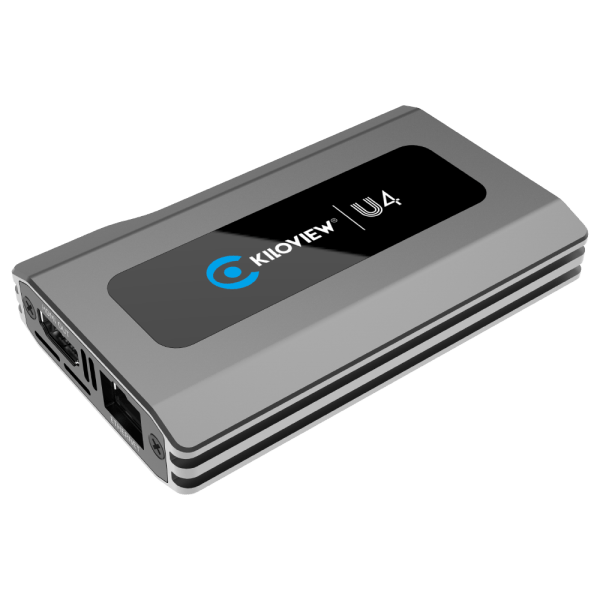
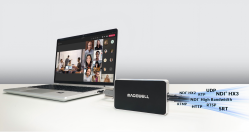
U4 is a compact IP Video Dock designed to bring professional NDI workflows into UC meetings, displays, and monitoring environments. Supporting NDI High Bandwidth, NDI HX2, and NDI HX3, U4 provides hardware-based decoding with NDI device discovery and receiver management capabilities. It converts IP video into USB UVC/UAC, HDMI, and DisplayPort outputs, allowing the same source to serve meetings, displays, and monitoring simultaneously. With support for up to 4K60 output, plug-and-play USB connectivity, and flexible IP protocol support, U4 simplifies the integration of NDI sources into video conferencing, collaboration, and professional AV workflows.
Using versatile functionality ranging from NDI, SDI to IP video conversion by I/O channel expansion, to 4K UHD connectivity and IP interoperability, Viz Connect Studio I/O Modules offer the flexibility to outfit studios, facilities, or infrastructures not only for their current production needs but also those of the future.. Viz Connect Studio I/O Module offers support for 12G-SDI and 10 Gigabit Ethernet connectivity; it seamlessly connects multiple video and audio formats including NDI®, SDI, and other IP formats. This solution is far more than conversion; offering SDI signal capture, media file playback, selectable multi-viewers, and professional video scopes.
Learn more
Magewell Pro Convert IP to USB
Pro Convert IP to USB lets users bring an NDI®, NDI® HX or other streaming source into software over a standard USB interface. Compliant with the UVC specification, it offers driver-free installation on Windows®, Mac® and Linux® operating systems and immediate compatibility with a wide range of video conferencing (such as Zoom® and Microsoft Teams®), streaming and production software. AV professionals will find the device quite useful in deployments where stringent IT restrictions prohibit them from installing any extra software tools and easy to manage with multiple control options made available, including web GUI, plugins to third party platforms and REST APIs.
Learn more
CNDLive A1 Bi-Directional NDI Converter
The A1 HDMI NDI Converter is a real bi-directional 4K NDI converter, supporting simultaneous 1080p60 HDMI encoding and decoding for both NDI High Bandwidth and NDI HX 2/3. With three HDMI 2.0 ports, the A1 delivers video encoding or decoding at resolutions up to 3840×2160p@60Hz. In addition to its core functionality, the A1 offers advanced features such as PTZ control, 8-channel audio support, intercom, and—most importantly—the ability to convert USB signals to NDI, easily integrate with video conferencing systems. All these make the A1 an efficient and reliable solution for NDI-based workflows.
Learn more
Kiloview D350
The Kiloview D350 4K Ultra HD Decoder is an all-in-one video processing device that supports decoding various network video stream formats, including NDI HB, NDI HX/HX3, SRT, RTMP, UDP, RTP, and RTSP, with stable audio and video synchronization via 3G-SDI and HDMI. It can decode up to 12 simultaneous 1080P60 video streams and features hardware-based Multiview monitoring for real-time preview switching.
The D350 also offers customizable layouts, dynamic switching, and background/LOGO overlays, along with audio bar monitoring and reverse PTZ control. Its LCD screen displays the IP address and output status, providing easy monitoring for users.
The NDI Professional Course is designed for professionals who are already familiar with with NDI but want to invest in a more practical knowledge for real-world deployments.
This course goes beyond theory to focus on practical system design, network planning, deployment workflows, and troubleshooting strategies used in professional installations. It’s designed to help integrators reduce deployment risk, standardize best practices across teams, and confidently deliver IP video-based projects at scale.
The course is offered as a one-time purchase, which includes:
Lifetime access to the full course content
Access to future updates as NDI evolves
An official NDI Professional Certificate
Industry-recognized credentials, including AVIXA Renewal Units (where applicable)
Charging for the NDI Professional Course allows us to invest in trainingdeveloped by our team of experts that reflects the realities of professional installations, while keeping the price accessible for individuals and teams.