Grass Valley

AMPP

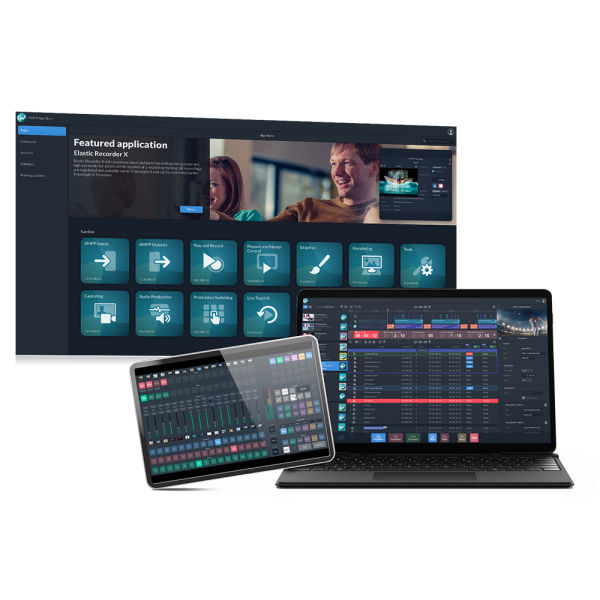
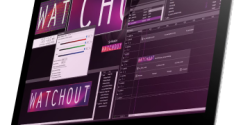
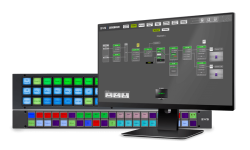
AMPP is a cloud-native media processing platform that enables live video production workflows across on-premise, remote, and cloud environments with native support for NDI® 6.3.

NDI support within AMPP allows users to work with live video and audio sources across the network as part of a fully software-defined production environment. Sources are automatically discovered and can be used alongside SDI, SRT, and other IP inputs within AMPP.

Users can receive and send multiple NDI streams, supporting everything from simple contribution workflows to complex multi-source productions.

NDI within AMPP behaves like any other source or destination, allowing it to be used across switching, playout, and processing workflows.

This enables seamless integration with:
•     Live production and switching environments
•     Graphics and playout applications
•     Remote contribution and distributed production workflows

NDI Certified
The Grass Valley AMPP is NDI Certified
Grass Valley AMPP

Similar products

Chyron Live Screenshot
Chyron

Chyron LIVE®

Chyron LIVE® is an end-to-end, cloud-native live video production platform. From anywhere with an internet connection, and via the convenience of a simple web-browser, users can access the Chyron LIVE platform to cut/mix live sources, adjust audio levels across all feeds, play out PRIME-quality graphic packages, create unlimited multimedia playlists and produce live replays with telestration. LIVE’s interface is easy-to-operate via complete touchscreen control, traditional computer mouse-and-click, or even from external control devices.


Web-Based Production
Chyron LIVE takes the PRIME Platform’s production switcher, real-time motion graphics, clip playout, and audio mixer modules – and makes them available in a web-accessible all-in-one production environment. Cut and dissolve between video sources, overlay Chyron-grade CG graphics, play your clip packages, and get the right audio levels in the mix.


Replay & Telestration
The true magic of a top-tier sports production happens in replay. With Chyron LIVE, you can comb through your camera footage, clip off a replay clip, add dynamic telestration elements to highlight the crucial elements of the play, and add it to a playlist for highlight reel playout.


Stunning Yet Simple
Chyron LIVE’s interface simplifies all elements into an intuitive point-and-click (or touch) interface that is easy for any operator to manage. For fast-paced shows, Chyron LIVE will maintain real-time state across multiple connected users for effortless collaboration with a remote crew. With the LIVE 1.3 update, the new Matchpad module provides a control panel for effortless playout of a multi-layered soccer graphics package.


Cloud-Native
LIVE makes Chyron-grade productions available to all content creators through a cloud-native architecture. With a basic laptop or tablet, and a standard internet connection, anyone can produce a broadcast-quality show on demand. With pay-by-production-hour options, you can wield the power of a six-figure control room in the palm of your hand – for a sliver of the cost.



Learn more

vMix Screenshot
vMix

vMix

vMix is a complete live video production and live streaming software solution. Create, mix, switch, record, and live stream professional productions on a Windows PC or Laptop.


Support for inputs including Cameras, IP Cameras, Video Files, Images, NDI, SRT, Virtual Sets, Titles, Audio, Instant Replay, Video Calls, Zoom Meetings, and more.


vMix and NDI – what can it do?

– Receive multiple video and audio channels from any NDI-compatible device or PC on the network. SD, HD, and 4K are supported.
– vMix provides the same functionality for these inputs and traditional HDMI and SDI cameras sources including the ability to use them with transitions, streaming, recording, MultiCorder, and even Instant Replay!
– vMix also includes a free vMix Desktop Capture application that can share the desktop, including audio of any Windows PC.
– Discover more NDI-related functionalities here.

Learn more

livestream studio 6 screenshot 2
Vimeo

Livestream Studio 6

Transform your computer into a professional live production control room with Livestream Studio. Input multiple feeds, add graphics, master audio, and stream in one robust, easy-to-use package.


Studio 6 also includes:
– Mevo Integration: Connect one or multiple Mevo live-streaming cameras and control them entirely from Studio.
– Vimeo Integration: Log into Studio with your Vimeo account, and enable cloud simulcasting with Vimeo Premium.
– Hardware Acceleration: Use Studio on consumer-grade computers including the MacBook Pro with hardware acceleration.
– Simple Mode: A new user experience mode designed for beginners or users with a simplified workflow.


Learn more about using NDI in Livestream Studio 6 here.

Learn more

Packshot Cerebrum EVS
EVS

Cerebrum Broadcast Control System

As a complete Broadcast Control System (BCS), Cerebrum gives you control over your most critical broadcast operations. Accessible via one application, the system’s powerful and highly customizable interfaces allow you to control, configure and monitor any broadcast environment the way you want. Cerebrum is designed to be robust in both small to large infrastructures and adapted for SDI and IP, offering you a scalable solution that is ready for today’s and tomorrow’s operations.


Everything is customizable.

Users are free to modify the interfaces’ default templates or design their own for a highly customizable experience, both on a live system as well as offline at home using snapshots of the system.

Learn more

Why is the NDI Professional Course a paid course?

The NDI Professional Course is designed for professionals who are already familiar with with NDI but want to invest in a more practical knowledge for real-world deployments.

This course goes beyond theory to focus on practical system design, network planning, deployment workflows, and troubleshooting strategies used in professional installations. It’s designed to help integrators reduce deployment risk, standardize best practices across teams, and confidently deliver IP video-based projects at scale.

The course is offered as a one-time purchase, which includes:

  • Lifetime access to the full course content
  • Access to future updates as NDI evolves
  • An official NDI Professional Certificate
  • Industry-recognized credentials, including AVIXA Renewal Units (where applicable)

Charging for the NDI Professional Course allows us to invest in training developed by our team of experts that reflects the realities of professional installations, while keeping the price accessible for individuals and teams.

Thank you for understanding, and happy learnings!

HX Camera App

HOLIDAYS SALE – 16th to 25th December

hx camera
50% OFF

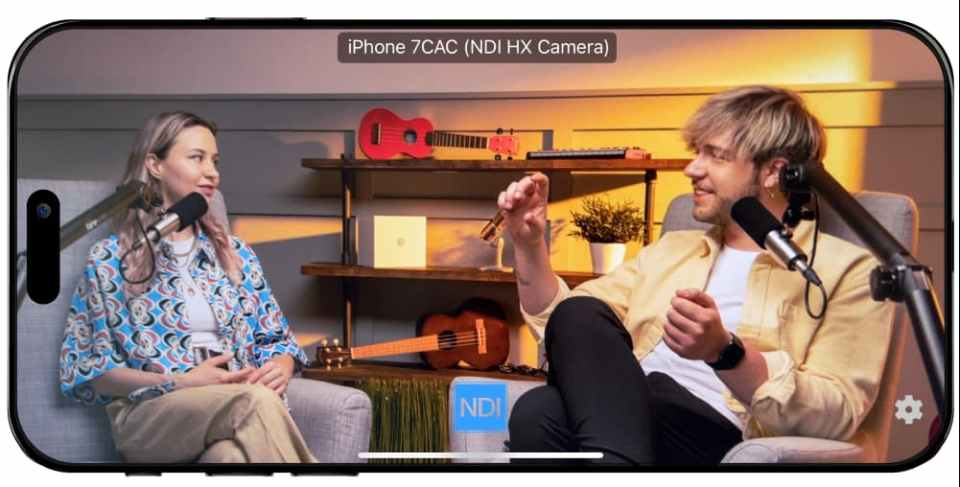
Turn your phone into a live-streaming camera

App Store logo
Google Play

HX Camera App

CYBER DAYS

2nd to 4th DECember

70% OFF
App Store logo
Google Play

Thank you for downloading NDI Tools.

If your download didn't start automatically, you can try again.

New user? Learn how to setup and use the tools here.