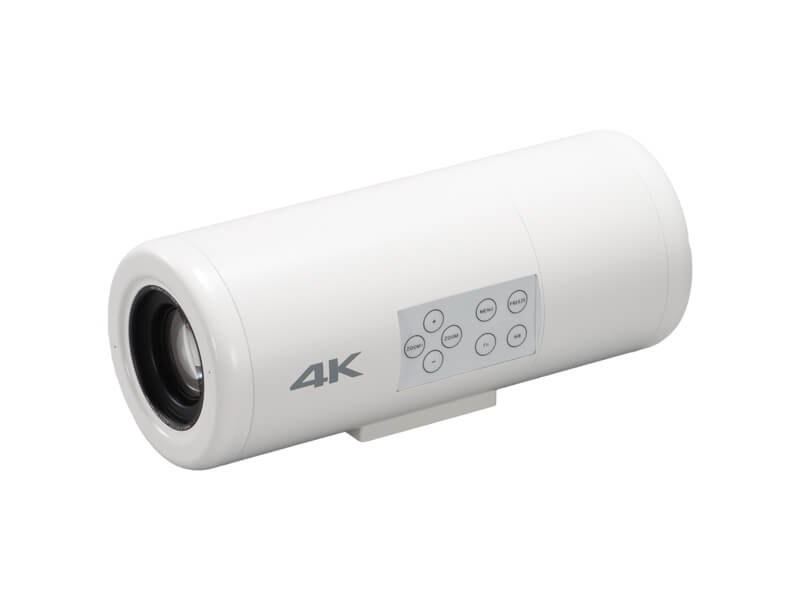
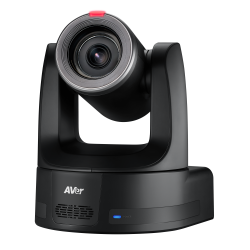
MediCam by MediDVR is the world’s first surgical field camera supporting NDI under medical-grade standards. Designed for capturing high-resolution 4K video during surgeries, MediCam is IP-based and NDI® capable up to NDI® | HX3, offering efficient, low-latency video formats. With PoE, a single LAN cable handles both power and video transmission, streamlining setup and enabling easy video sharing within the hospital LAN.
MediCam supports real-time viewing, transmission, and control on PCs, mobile phones, and iPads. It’s available with 12x, 18x, or 25x optical zoom lenses and features a Standard 58mm Lens Thread for added versatility. Additionally, MediCam can simultaneously output 4K HDMI and 3G-SDI HD video, providing flexible connectivity options for various medical applications.
MediCam not only supports traditional RS232/485/422 PELCO/VISCA wired control but also IP VISCA and NDI network control. You can use the keyboard controller or side-button control for seamless operation.
Introducing the TR615, a broadcasting-grade 4K AI Auto Tracking PTZ Camera for professional broadcasting, live event production, and premium live streaming. With AI-powered auto tracking technology and ultra-smooth PTZ motion, enjoy precise, hands-free camera control. Featuring a 1-inch Sony Exmor RS® CMOS sensor, 19X optical zoom, and AI-enhanced algorithm, the TR615 produces cinematic 4K video and supports dual 12G-SDI, Genlock, NDI® HX3, Dante AV-H, and Free-D for streamlined integration into broadcast workflows.
Learn more
RØDECaster Video
The RØDECaster Video is a revolutionary all-in-one video and audio production console that provides intuitive control over every element of your content. Combining powerful video switching, recording and production capabilities with a fully integrated professional audio mixer, it offers a seamless way to streamline and supercharge your workflow for studio productions, video podcasts and interviews, and stream live events with broadcast quality
Learn more
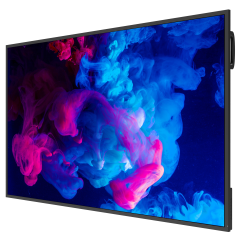
MAXHUB CMA Series Commercial Display
MAXHUB CMA Series Commercial Displays is among the first displays to support onboard NDI decoding, delivering high-quality, low-latency video and audio. This capable display is rated for 24/7 operation, anti-glare, Landscape or Portrait mountable, Energy Star and a 3-year warranty.
Learn more
Magewell Pro Convert IP to USB
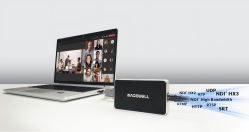
Pro Convert IP to USB lets users bring an NDI®, NDI® HX or other streaming source into software over a standard USB interface. Compliant with the UVC specification, it offers driver-free installation on Windows®, Mac® and Linux® operating systems and immediate compatibility with a wide range of video conferencing (such as Zoom® and Microsoft Teams®), streaming and production software. AV professionals will find the device quite useful in deployments where stringent IT restrictions prohibit them from installing any extra software tools and easy to manage with multiple control options made available, including web GUI, plugins to third party platforms and REST APIs.
The NDI Professional Course is designed for professionals who are already familiar with with NDI but want to invest in a more practical knowledge for real-world deployments.
This course goes beyond theory to focus on practical system design, network planning, deployment workflows, and troubleshooting strategies used in professional installations. It’s designed to help integrators reduce deployment risk, standardize best practices across teams, and confidently deliver IP video-based projects at scale.
The course is offered as a one-time purchase, which includes:
Lifetime access to the full course content
Access to future updates as NDI evolves
An official NDI Professional Certificate
Industry-recognized credentials, including AVIXA Renewal Units (where applicable)
Charging for the NDI Professional Course allows us to invest in trainingdeveloped by our team of experts that reflects the realities of professional installations, while keeping the price accessible for individuals and teams.