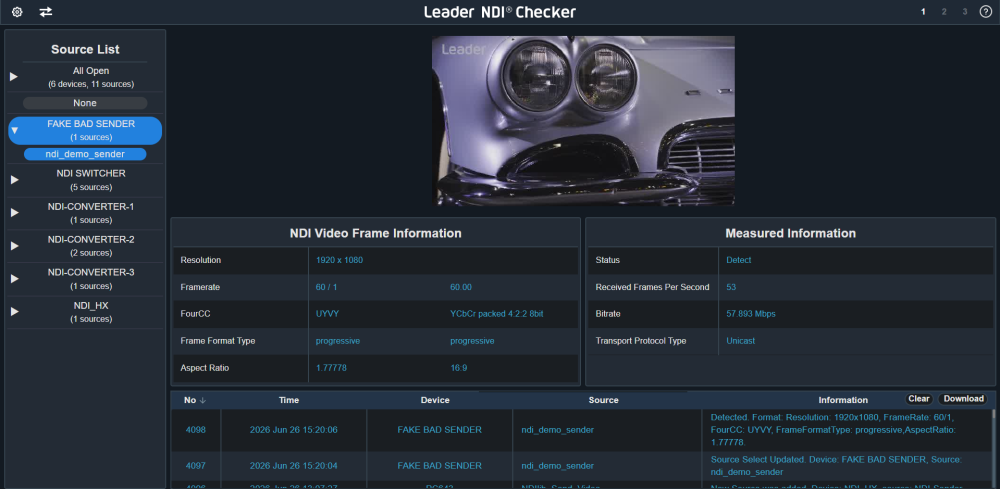

NDI Checker is a software solution for monitoring, measuring, and verifying NDI-based video networks. It helps users confirm that NDI sources can be discovered and received, while providing clear visibility into signal conditions during system setup, live operation, and troubleshooting.
The software displays useful diagnostic information, including NDI source discovery, preview images, video format, actual frame rate, bitrate, and event logs. These measurements help operators and engineers understand system behavior, verify basic connectivity, and identify potential issues more efficiently.
Designed for NDI system operators, system integrators, and NDI product manufacturers, NDI Checker provides objective information for building, operating, and supporting NDI systems. By making NDI performance easier to evaluate, it helps reduce uncertainty, support reliable deployments, and improve confidence in NDI-based workflows.


Mevo allows anyone to live stream with ease. With Mevo Multicam, content creators can wirelessly connect multiple sources including Mevo Cameras, Mevo Go*, NDI enabled cameras* and more. Easily switch sources, live stream and record in 1080p HD to multiple platforms like YouTube and Facebook. With Mevo Multicam, you can wirelessly control multiple Mevo cameras at the same time and live switch between them. Additionally, you can mix in non-Mevo NDI enabled cameras* with ease. Record your program output locally to your phone in full HD. Also record each individual camera feed directly to their local microSD card.


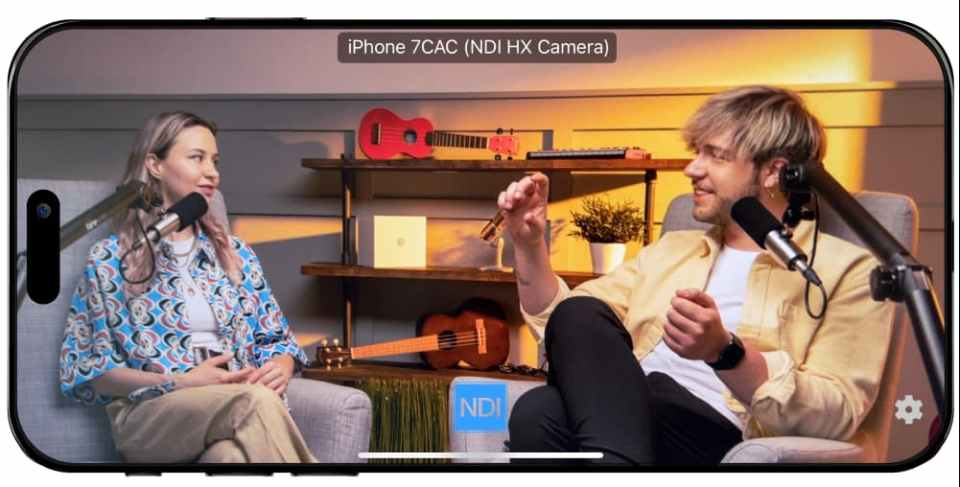
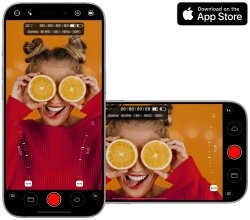
Mavis Camera brings professional NDI workflows to your iPhone. Send and receive NDI streams with ease, taking advantage of the latest NDI 6 enhancements, including support for bandwidth-efficient NDI HX3. Mavis Camera also functions as a portable NDI converter, enabling received NDI video feeds to be recorded, streamed, or uploaded directly to the cloud. Access Adobe Frame.io, Mavis C2C, SRT, and RTMP workflows from a single iOS device.
Beyond video, Mavis Camera can receive up to eight channels of NDI audio. Each channel can be recorded independently alongside video and NDI timecode, providing precise synchronization and greater flexibility in post-production.
Try Mavis Camera for free today.

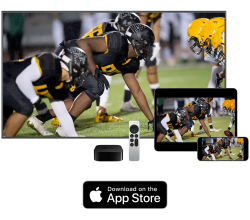
Mavis Monitor transforms your iPhone, iPad, or Apple TV into a professional-grade video monitor, delivering real-time 10-bit HDR images with ultra-low latency through certified NDI® and HX3 technology. It gives you everything you need to frame, expose, and perfect your shots, including advanced tools like focus peaking, zebras, false color, waveform and vectorscopes, image flip, de-squeeze, and more. On iPhone and iPad, you can also monitor and mix up to eight audio channels, with full control over gain, pan, and solo settings putting broadcast-level precision right in your hands.
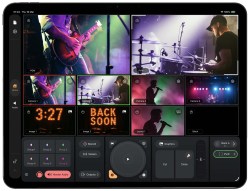

Mavis Studio brings a broadcast studio to your iPad in a beautifully designed and intuitive app. Designed for creators, broadcasters and production teams, it combines multi-camera switching, graphics, video playback, audio mixing, recording and streaming in a single, refined live production experience.
With support for certified NDI HX3 workflows, seamless integration with Mavis Camera, and flexible streaming to social channels via RTMP and SRT, Mavis Studio makes it easy to create and deliver professional quality multi-camera content.
Try Mavis Studio for free today.
The NDI Professional Course is designed for professionals who are already familiar with with NDI but want to invest in a more practical knowledge for real-world deployments.
This course goes beyond theory to focus on practical system design, network planning, deployment workflows, and troubleshooting strategies used in professional installations. It’s designed to help integrators reduce deployment risk, standardize best practices across teams, and confidently deliver IP video-based projects at scale.
The course is offered as a one-time purchase, which includes:
Charging for the NDI Professional Course allows us to invest in training developed by our team of experts that reflects the realities of professional installations, while keeping the price accessible for individuals and teams.
Thank you for understanding, and happy learnings!
New user? Learn how to setup and use the tools here.