

Courtroom modernization isn’t just about technology for the state of New York. The NY State Unified Court System considers tech modernization a “human-centered project,” aimed at transforming the experience for jurors, plaintiffs, defendants, attorneys, judges, and everyone else who enters their courthouses.
NDI technology enabled the courts to present evidence clearly while controlling the chain of custody, display helpful digital signage throughout the buildings, achieve approximately 97% device uptime, and solve 75-80% of helpdesk tickets remotely.
It proved easy to deploy, user-friendly for court staff, and painless for the modernization staff to support. New York State’s Courtroom Modernization Department achieved all this at around 50% of the cost federal courts incurred for more traditional AV infrastructure upgrades.
Challenge
Every day, in courtrooms around the world, consequential decisions are made that impact people’s lives. Serving justice requires smooth, efficient processes, and modern technology can play an essential role. That’s the mission of New York State’s Courtroom Modernization Department.
When someone walks into a courthouse, it’s often one of the most stressful times in their lives,” says Vincent Riccobene, the department’s Senior Manager of Central Services. “They could be facing a divorce or a criminal charge, and we can affect their experience. We’re not just a technology organization, we’re a human-centered one.
Vincent and his team find tech-based solutions to challenges faced by everyone who passes through the court system. Here are the challenges they sought to overcome with NDI.
Cumbersome Evidence Presentation
Picture a trial involving a financial crime, where jurors are forced to strain both their necks and their eyes, looking at a photo of a ledger on a distant screen.
Ideally, courtrooms would come equipped with multiple monitors that judges, attorneys, clerks, and jury members can easily view. Unfortunately, Vincent and his team had a hard limit on the number of monitors they could install using their legacy HDMI matrix.
Additionally, the existing configuration made it more difficult for judges and clerks to manage the evidentiary chain-of-custody, slowing down the process and putting extra strain on everyone.
Management and Scalability Limitations
Managing thousands of devices statewide, with no remote access, meant on-site tech visits for every issue—a tall order for a team of just 12 employees at this stage. Monitors ran hot and failed often, with a lifespan of roughly 2 years per device. Additionally, the legacy system had no open APIs, greatly limiting its flexibility.
Barriers to Hybrid Justice
Modern courts must manage hybrid (virtual and in-house) proceedings, which became essential during the pandemic. However, New York State’s existing setup made hybrid proceedings less-than-ideal, with one large display and poor visibility. Limited virtual participation impacted the experience for everyone involved.
During their evaluation period, Vincent and his team visited both state and federal courthouses around the region to explore their modernization efforts. They experimented with NDI and found it provided the greatest flexibility and ownership of the outcome. The ease of deployment, ability to operate it on standard network architecture, and extensive SDK were major factors in selecting NDI.
We are a human-centered organization. We go into a courthouse, we see where there is a problem or a pain point, and we develop solutions to address that pain point.
New York State Unified Court Systems
Solution
NDI technology offered Vincent and his team the flexibility to create a powerful system that addressed all these challenges. Additionally, they managed to create a digital signage solution, spanning 600+ screens, to guide anyone entering the courthouses.
These are the technological solutions that made state-of-the-art courtrooms possible for New York.
Clear, Controlled Evidence Presentation
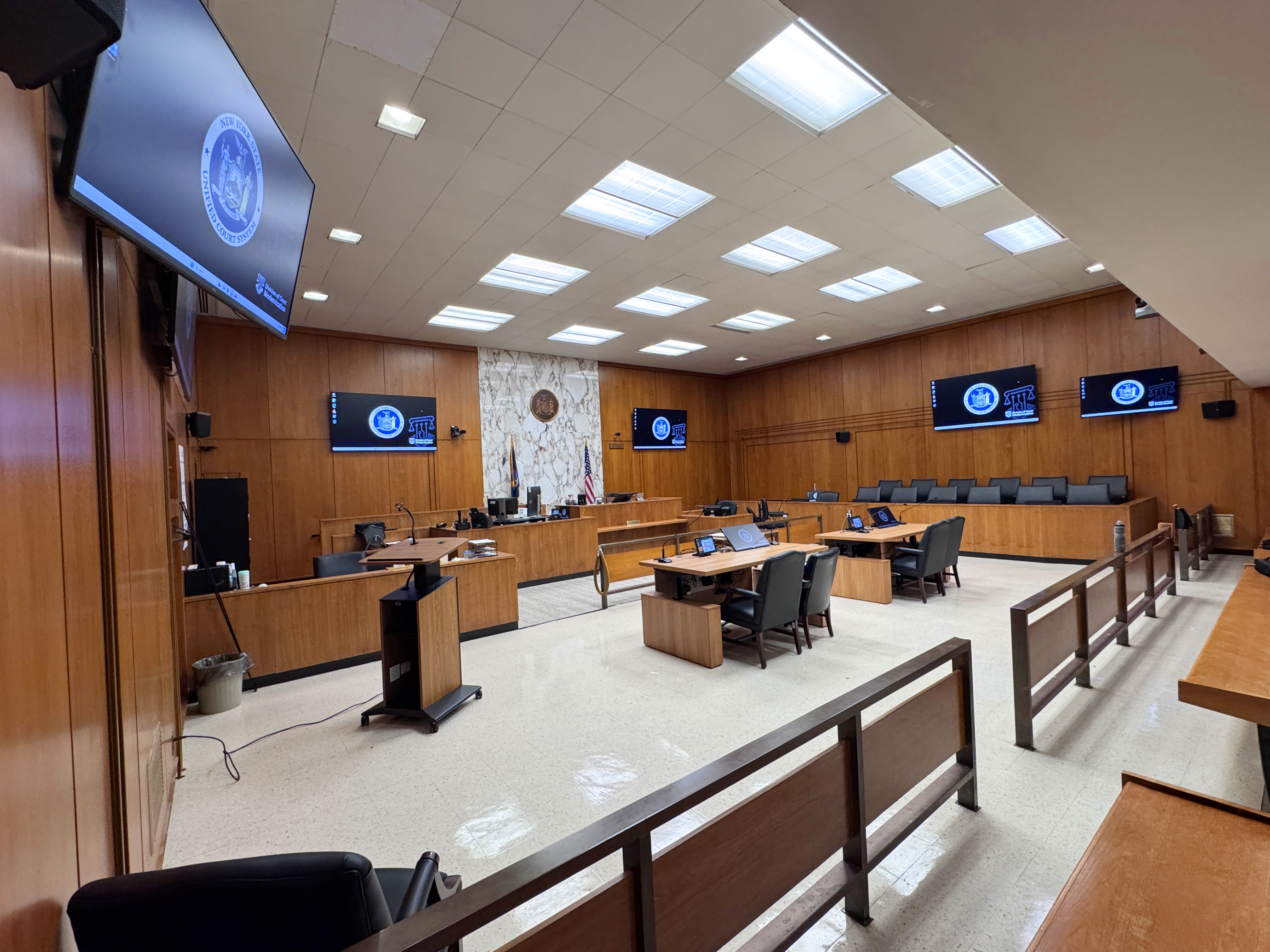
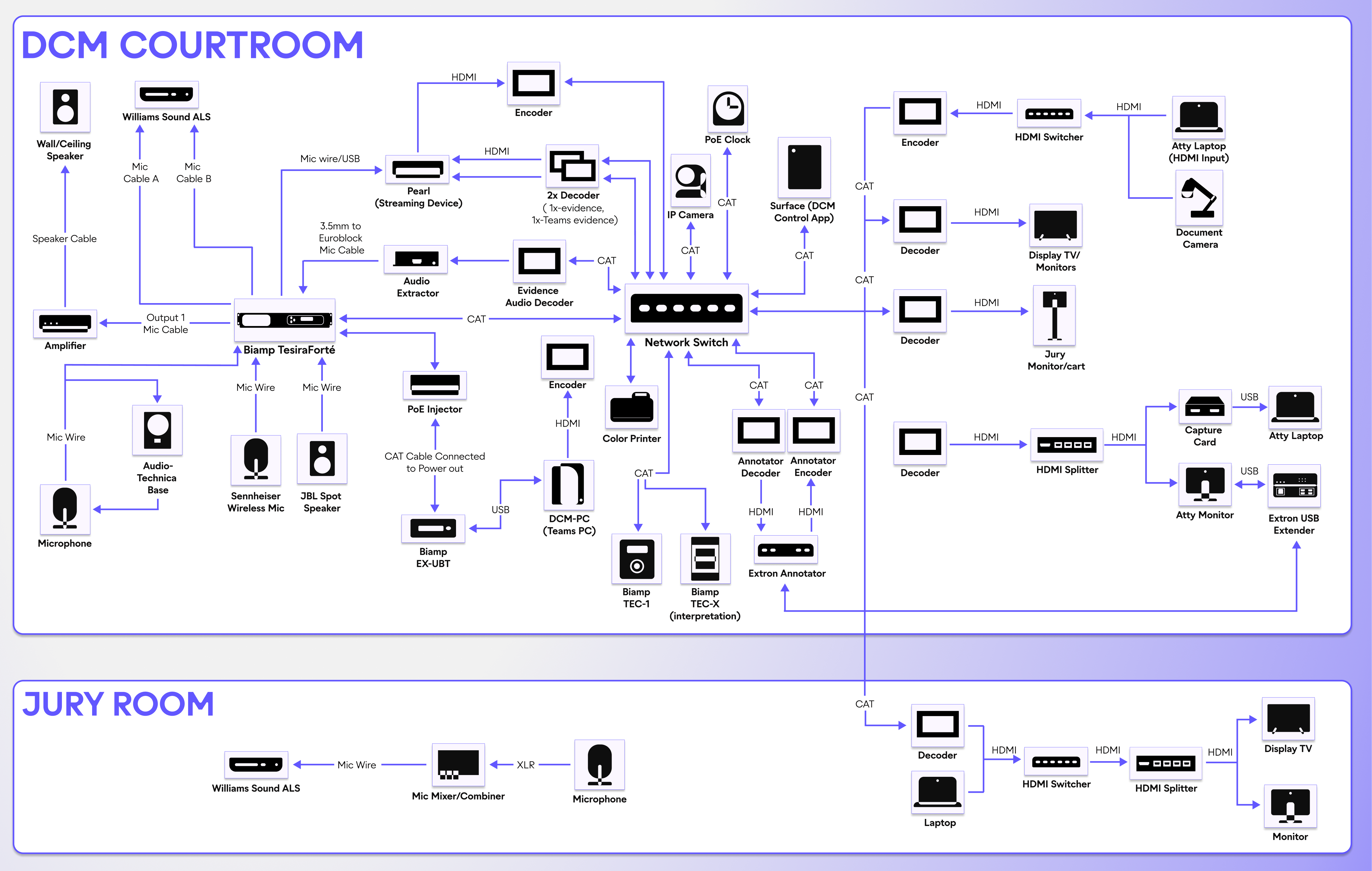
Vincent’s in-house team installed 25-30 monitors per courtroom through NDI multicast, which run simultaneously with no degradation.
The setup typically included:
- 2 large (85 to 98 inch) monitors behind the judge
- 1 large (85 to 98 inch) monitor behind the jury box
- 1 large (85 to 98 inch) monitor across from the jury
- 2 large (55 to 65 inch) monitors in the spectator area
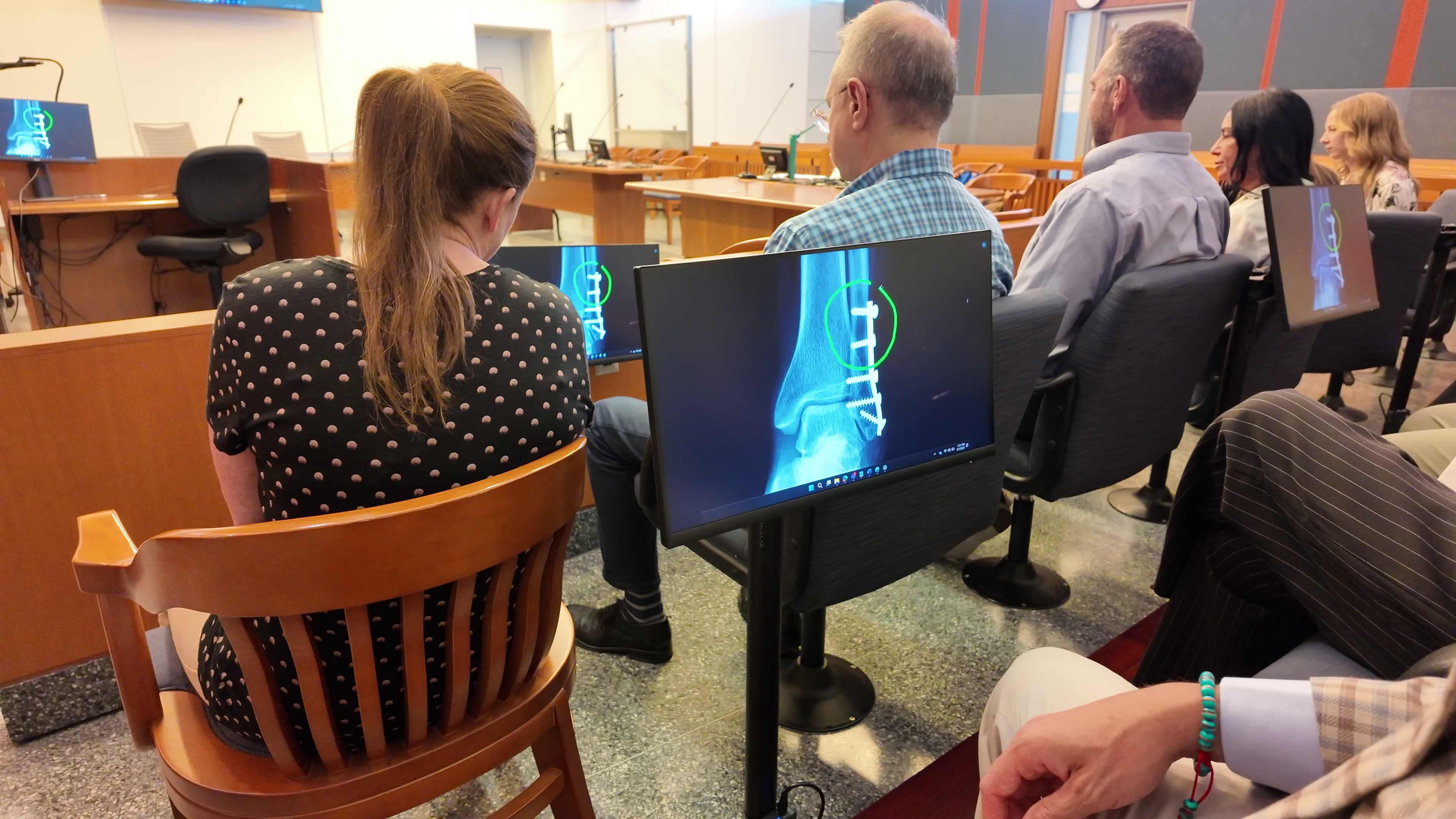
- 6 to 8 small 19‑inch monitors in the jury box (one for every two jurors)
- Additional 19‑inch monitors on mobile carts (to display real‑time text transcriptions or other accessibility support)
- Additional 24-inch touchscreen monitors at the witness stand and both attorney tables to support real-time evidence annotation.
- Additional small (15 to 22 inch) monitors for the judge, clerk, court reporter, and any other station where a monitor is needed
- 3 small 12‑inch monitors displaying the evidence‑presentation control interface, allowing the judge, clerk, and attorneys to easily see the active source and which destination monitors are receiving it.
The team also built a user-friendly app with NDI SDK that allows clerks and judges to control the chain of custody workflow. The clerk only publishes evidence to the jury screens after the judge has approved it. Attorneys can also add annotations (e.g., circling key data) to highlight key information.Lastly, anyone can present evidence by plugging into a laptop, phone, or tablet via HDMI or USB-C. For example, during a custody hearing, a parent can upload photos directly from their phone.
Manageable and Built to Scale
The New York State Unified Court System has modernized 375 courtrooms at the time of publication, with plans to upgrade 1,600 total.
The following products and features supported the transformation:
- NDI runs over the network, which greatly increases the number of devices the team can add to any given courtroom
- Magewell encoders replaced legacy hardware, convert video into and from NDI stream, and reliably present digital evidence into monitors
- Every device is remotely managed from one location, with 75-80% of helpdesk tickets solved remotely
- Devices are powered by Ethernet cable, allowing courtrooms to support more devices without hiring an electrician to rewire the room
- Scheduled device downtime and reset (10 PM to 7 AM) reduces software issues and extends the lifespan of each device, also made possible by Power over Ethernet (PoE)
- Control app (built in-house), using NDI SDK, liberates tech teams from vendor dependency
The control app enables court staff to easily route multiple simultaneous sources to different monitors. This is ideal for hybrid proceedings, where remote participants (such as witnesses or interpreters) and evidence must be displayed at the same time, or when mixed media, such as surveillance video or transcripts, must appear concurrently.
A full deployment for any given courtroom takes just three days, thanks to the automation scripts that Vincent’s team created.
Hybrid Proceedings Where Everyone Has a Seat
Hybrid court proceedings no longer leave participants feeling disconnected, thanks to:
- 4–6 NDI cameras per courtroom (stationary + PTZ) that give remote participants direct head-on views of every in-person participant
- ManyCam, which stitches NDI feeds into a single virtual camera for Microsoft Teams
- Pearl Nexus, which streams high-profile trials to overflow courtrooms
The modern tech means that every participant in the room sees remote participants on a screen directly in front of them, rather than straining to see a single monitor.
I've seen the way that Vincent has been able to deploy NDI, whether it's signage, evidence presentation, special events, or security. I don't know of another platform that would have enabled that as easily as NDI does.
Outcome
The New York State Unified Court System has modernized 375 courtrooms (and counting) at the time of publication, with plans to update all 1,600 within its jurisdiction. Vincent and his team have grown from 12 to 55, and the court system has increased their budget by 100% over the course of a year.Tangible results include:
- 10,000 NDI endpoints deployed over 375 courtrooms (with more to follow)
- 97% device uptime, achieved through automated PoE power cycling
- 75-80% of helpdesk tickets resolved remotely
- Full courtroom deployments completed in just 3 days
- Magewell hardware lasts more than twice as long as the equipment it replaced
- Complete, all-digital transformation at half the cost (per courtroom) compared to the federal court’s modernization project in Albany, NY
Of course, the real results go beyond the numbers. With the right technology, jurors are more engaged, clerks and judges aren’t overburdened, and both plaintiffs and defendants can make their cases. By transforming the human experience, justice is better served.
NDI just works. Everything works. Everything is reliable.