Every creator hits the same wall eventually — and it's never the content that's the bottleneck.
Your gaming PC chokes when it has to render, encode, and stream at once. Frame rate pays the price.
Cost
Capture cards run $150–$400 — and still add latency plus one more point of failure to your rig.
Complexity
Adding a guest camera, a screen share, or a second angle means more hubs, more adapters, more chances to break mid-stream.
Scaling
Going dual-PC should be simple. Instead it’s HDMI cables across the room and a shopping list you didn’t budget for.
None of that is content creation. It's IT support you didn't sign up for — and NDI Tools fixes it at the source.
NDI Tools turns your computers, cameras, and screens into broadcast-quality video sources — visually lossless, up to 4K 60fps in 10-bit HDR — sent over the network you already have.
Screen Capture
Turn any monitor, window, or app into a live video source.
Webcam / Virtual Input
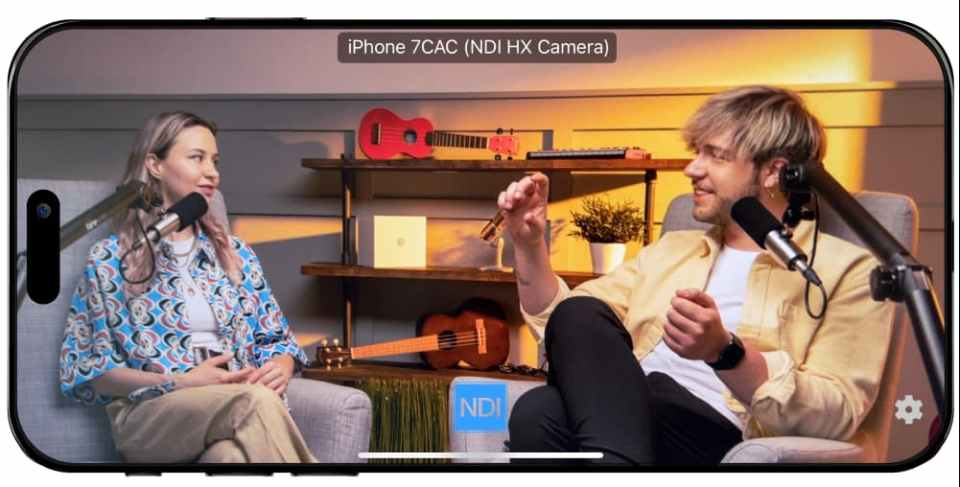
Feed any NDI source into Zoom, Discord, or Teams as a virtual webcam.
Studio Monitor
Preview any source on your network in real time, before it goes live.
Router
Switch and route between sources with a click — no hardware switcher.
Access Manager
Control exactly which devices can see your sources. Your network, your rules.
Discovery
See every NDI source on your network in one place, automatically.
Test Patterns
Calibrate and troubleshoot connections before you go live, not during.
Bridge
Connect sources remotely over the internet when you’re off-network.
Native Plugins
Premiere Pro
After Effects
Final Cut Pro
VLC
Five feeds, one multiviewer. This is what's actually running on your network once NDI Tools is installed.
SRC 01 · GAMING
On-Air
Gaming Creators & Streamers
Problem: your gaming rig renders and encodes at once — FPS pays for it.
Route gameplay to a second PC over NDI. Free 100% of your rig for the game. Add webcam, alerts, overlays — no extra cable.
SRC 02 · YOUTUBE
PGM
YouTube Creators
Problem: multi-cam means multiple capture devices and hours syncing in post.
Bring every camera and mic onto one NDI network. Preview and switch live with Studio Monitor + Router. Drop straight into Premiere.
SRC 03· SCREEN
PVW
Screen Capture & Workflow Creators
Problem: screen recorders are laggy, low-quality, locked to one app.
Screen Capture turns any monitor or window into a broadcast-quality NDI source instantly — stream it, record it, hand it to another machine.
SRC 04 · REVIEW
PVW
Product Testers & Reviewers
Problem: reviews need product cam + screen demo + talking head, synced.
Combine every angle into a single feed with Router and Access Manager — zero extra hardware, one network.
SRC 05 · PODCAST
PVW
Podcast & Interview Setups
Problem: remote guests, local cams, and screen shares rarely cooperate.
Bridge connects remote sources over the internet. Discovery finds every local source automatically.
SRC 06 · YOU
Ready
Whatever you're building next
Add a camera, a screen, or a guest feed by adding it to the network — not the shopping cart.
$150–$400
saved by skipping capture cards and converters entirely.
100%
of your gaming PC’s performance, freed up by offloading encoding to a second machine.
< 5 min
from install to your first connected source — no cable-routing required.
0
new points of failure — no HDMI runs, no USB dongles to die mid-stream.
4K60
visually lossless, 10-bit HDR — broadcast-grade, not just stream-grade.
Infinite
scalability — add sources by adding them to the network, not the cart.
I've been working with NDI for many years, I believe since NDI Tools first launched. I coordinate a small team recording classes, online courses, and distance-learning content, as well as streaming various events, all made easier with NDI technology. I can't describe how much I love this protocol!
Yes. NDI Tools is completely free to download and use for personal and non-commercial content creation. No trial, no watermark, no time limit.
No. NDI is built to run efficiently on modest home setups — you don’t need a high-end network or expensive gear for broadcast-quality results.
No. NDI Tools automatically discovers devices and sources on your network. Most creators are connected in minutes.
Almost certainly. NDI integrates natively with OBS Studio, Streamlabs, vMix, Premiere Pro, After Effects, and Final Cut Pro.
NDI Tools still helps — Screen Capture and Webcam Input add sources and flexibility to a single-machine setup, no dual-PC required.
The NDI Professional Course is designed for professionals who are already familiar with with NDI but want to invest in a more practical knowledge for real-world deployments.
This course goes beyond theory to focus on practical system design, network planning, deployment workflows, and troubleshooting strategies used in professional installations. It’s designed to help integrators reduce deployment risk, standardize best practices across teams, and confidently deliver IP video-based projects at scale.
The course is offered as a one-time purchase, which includes:
Charging for the NDI Professional Course allows us to invest in training developed by our team of experts that reflects the realities of professional installations, while keeping the price accessible for individuals and teams.
Thank you for understanding, and happy learnings!
New user? Learn how to setup and use the tools here.