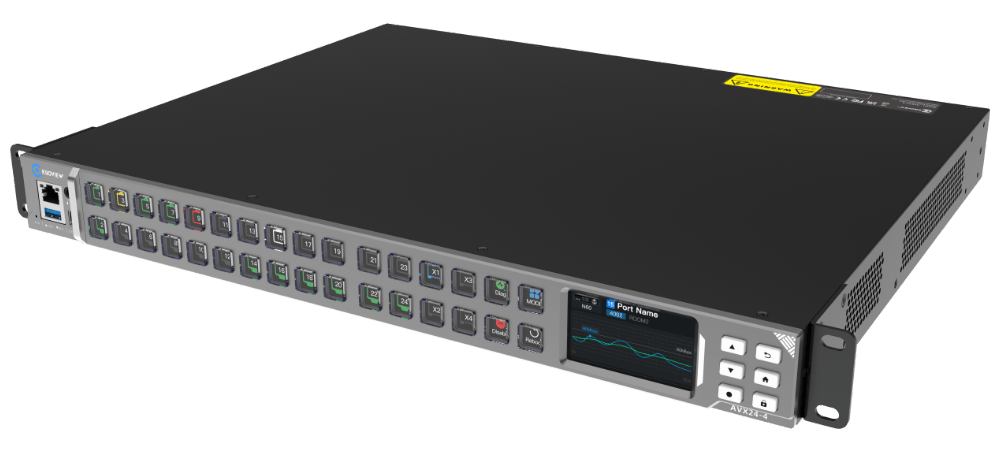
Kiloview AVX24-4 Media HUB is an IP and media management platform designed to simplify and visualize professional AV-over-IP workflows. It brings network topology visualization, intelligent diagnostics, NDI-optimized routing, and centralized device management into one compact system.
AVX24-4 provides a real-time visual map of connected devices, connections, ports, and network status, helping users monitor signal paths and quickly identify network issues. For NDI workflows, it supports low-latency NDI routing with QoS prioritization, intuitive matrix switching, and PTP synchronization.
Built on a high-performance switching architecture, AVX24-4 features 24 Gigabit PoE ports, four 10GbE SFP+ uplinks, and 226 Gbps switching capacity. A built-in LCD and customizable physical buttons provide direct monitoring and routing control without a PC.
Designed for professional IP media environments, AVX24-4 provides a unified platform for managing, monitoring, and routing NDI-based media networks.
Using versatile functionality ranging from NDI, SDI to IP video conversion by I/O channel expansion, to 4K UHD connectivity and IP interoperability, Viz Connect Studio I/O Modules offer the flexibility to outfit studios, facilities, or infrastructures not only for their current production needs but also those of the future.. Viz Connect Studio I/O Module offers support for 12G-SDI and 10 Gigabit Ethernet connectivity; it seamlessly connects multiple video and audio formats including NDI®, SDI, and other IP formats. This solution is far more than conversion; offering SDI signal capture, media file playback, selectable multi-viewers, and professional video scopes.
Learn more
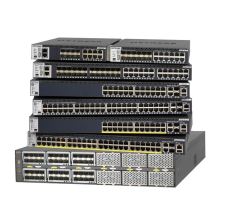
NETGEAR M4350 Series Managed Switches
Introducing the NETGEAR AV and IT M4350 Switches, engineered and certified for audio/video over IP with dedicated service and support. The M4350 brings all the simplicity from the M4250 AV Line packed in more Enterprise-class hardware with redundant power supplies and larger fabrics with 25G and 100G uplinks. The revolutionary NETGEAR AV user interface and Engage™ Controller contain pre-configured profiles for all major audio, video, and lighting protocols.
Learn more
NETGEAR M4300 Series Managed Switch
The NETGEAR® M4300 Stackable Switch Series delivers L2/L3/L4 and IPv4/IPv6 cost-effective services for mid-enterprise edge and SMB core deployments with unrivalled ease of use: 10/40 Gigabit models can seamlessly stack with 1 Gigabit models within the series, enabling spine and leaf line-rate topologies.
Learn more
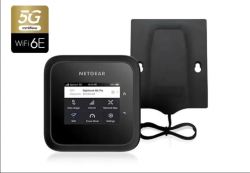
NETGEAR NIGHTHAWK M6 Pro
The NETGEAR® Nighthawk® M6 Pro Mobile Router upgrades your mobile broadband experience to unparalleled heights with WiFi 6E and incredible new speeds with 5G mmWave. Keep your entire family connected to 5G mmWave over WiFi for up to 32 devices. Perfect for mobile business staff on the go, from commuters to first responders and service technicians — access secure WiFi wherever your work takes you. With the option to connect the 5G mmWave Mobile Router to your existing home router, you can bring 5G mmWave speeds into your home network and all your WiFi devices. The simple-to-use 2.8” LCD touch screen lets you conveniently monitor data usage, see WiFi name/password, mobile signal strength, and manage device and network settings.
*Individual results may vary based on signal strength and connectivity
The NDI Professional Course is designed for professionals who are already familiar with with NDI but want to invest in a more practical knowledge for real-world deployments.
This course goes beyond theory to focus on practical system design, network planning, deployment workflows, and troubleshooting strategies used in professional installations. It’s designed to help integrators reduce deployment risk, standardize best practices across teams, and confidently deliver IP video-based projects at scale.
The course is offered as a one-time purchase, which includes:
Lifetime access to the full course content
Access to future updates as NDI evolves
An official NDI Professional Certificate
Industry-recognized credentials, including AVIXA Renewal Units (where applicable)
Charging for the NDI Professional Course allows us to invest in trainingdeveloped by our team of experts that reflects the realities of professional installations, while keeping the price accessible for individuals and teams.